Goal : Interact with Factur-X Electronic invoicing using Mustang Open source Library and Magic xpi
Prequisites :
- Nodejs (22.17)
- Java 17.0.11
- mustang-cli.jar (https://www.mustangproject.org/commandline/ and https://github.com/ZUGFeRD/mustangproject)
- Download my custom nodejs server (https://france.magicsoftware.com/share/facturx-service.zip)
- (*) download nssm (https://nssm.cc/download) under c:\tools
- Postman
1/ Expose the mustang open source library command line with a nodejs microservice and consume the service through a Magic xpi REST Client Connector.
Download the mustang library and install it in the folder : c:\mustang
Verify that you have all the schema files in other to be able to parse results in Magic xpi.
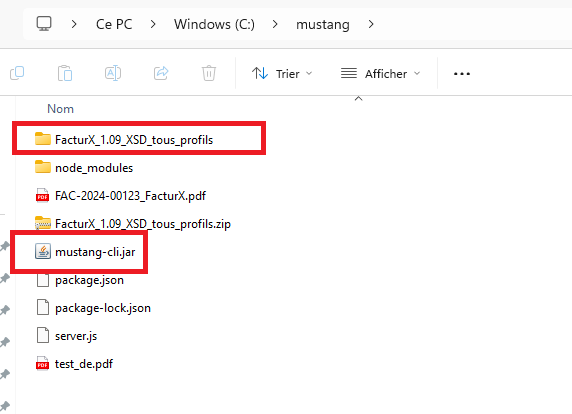
2/ Create the folder c:\facturx-service and c:\facturx-service\logs
Copy files (server.js, install-service.js, uninstall-service.js and package.json) in this directory
Use command line in admin mode : C:\facturx-service\install-nssm.bat
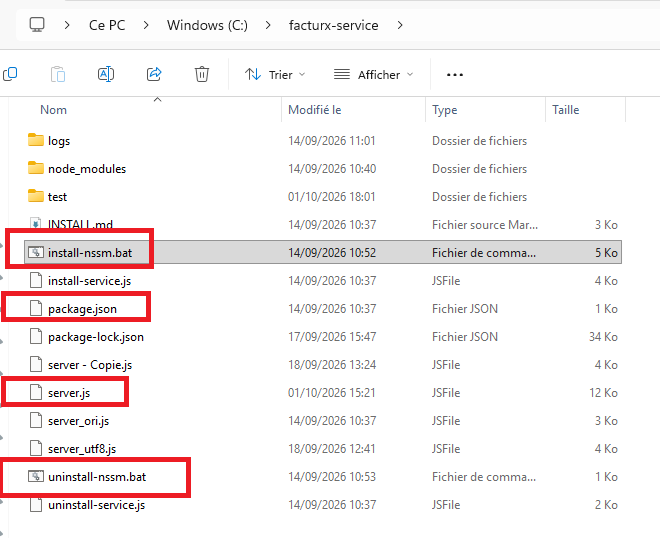
Check in the windows service that you get the FacturX service

3/ Verify that the service is up and running
You can check that the server is healthy through a GET on : http://localhost:3000/health
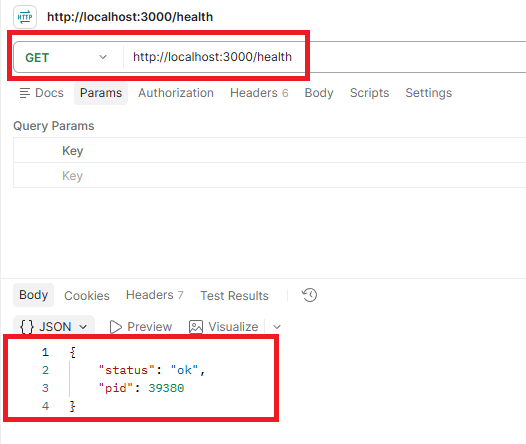
4/ Check other endpoints with Postman
To read a Factur-X (http://localhost:3000/api/read-facturx) :
Payload must be in this format (check all options in the server.js)  :
{"filePath":"c:\\mustang\\FAC-2024-00123_FacturX.pdf"}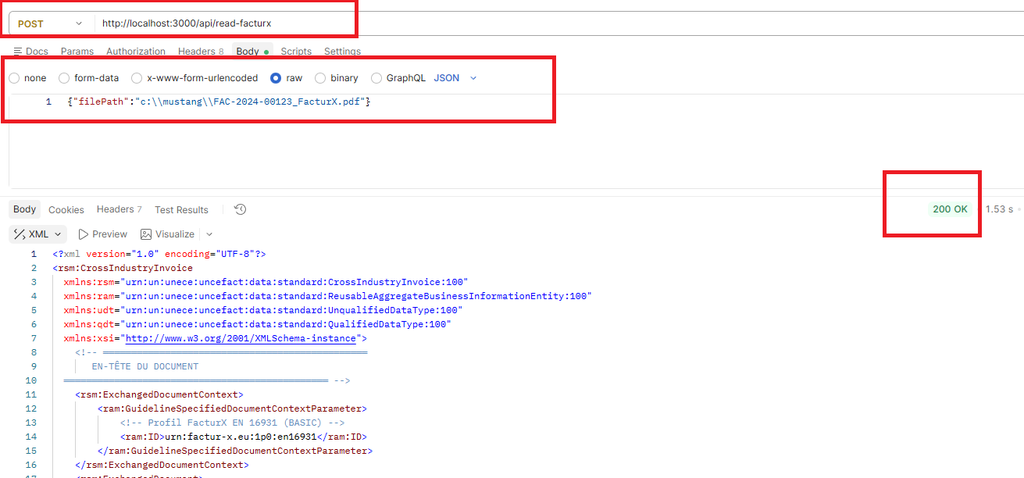
To generate a Factur-X (http://localhost:3000/api/combine-facturx)
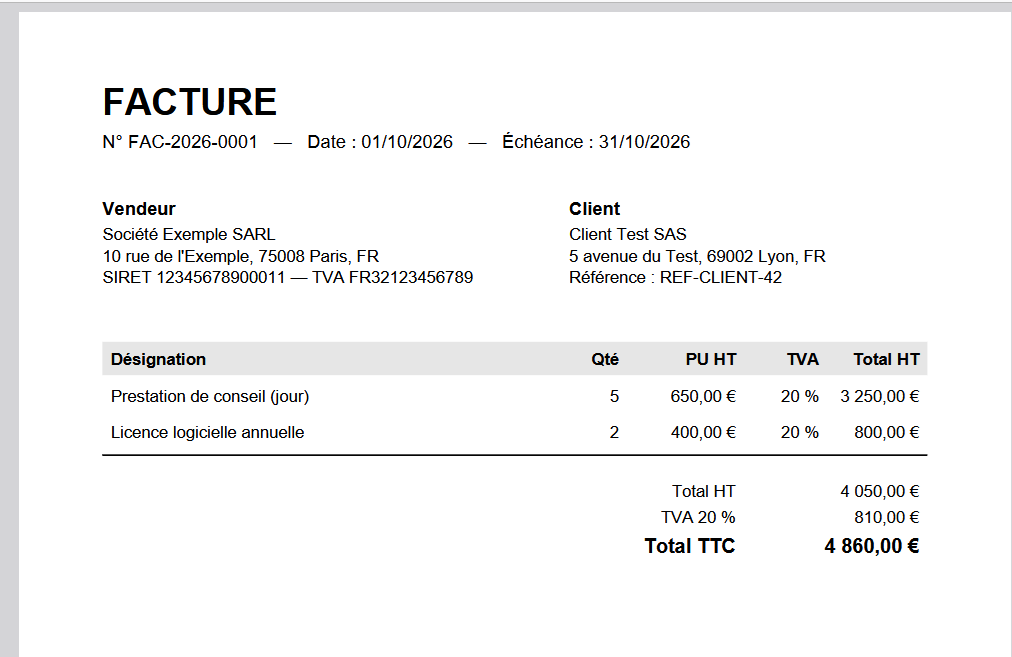
Assume you have this invoice pdf file and want to combine the xml associated file (* can be produced by magic xpi) below
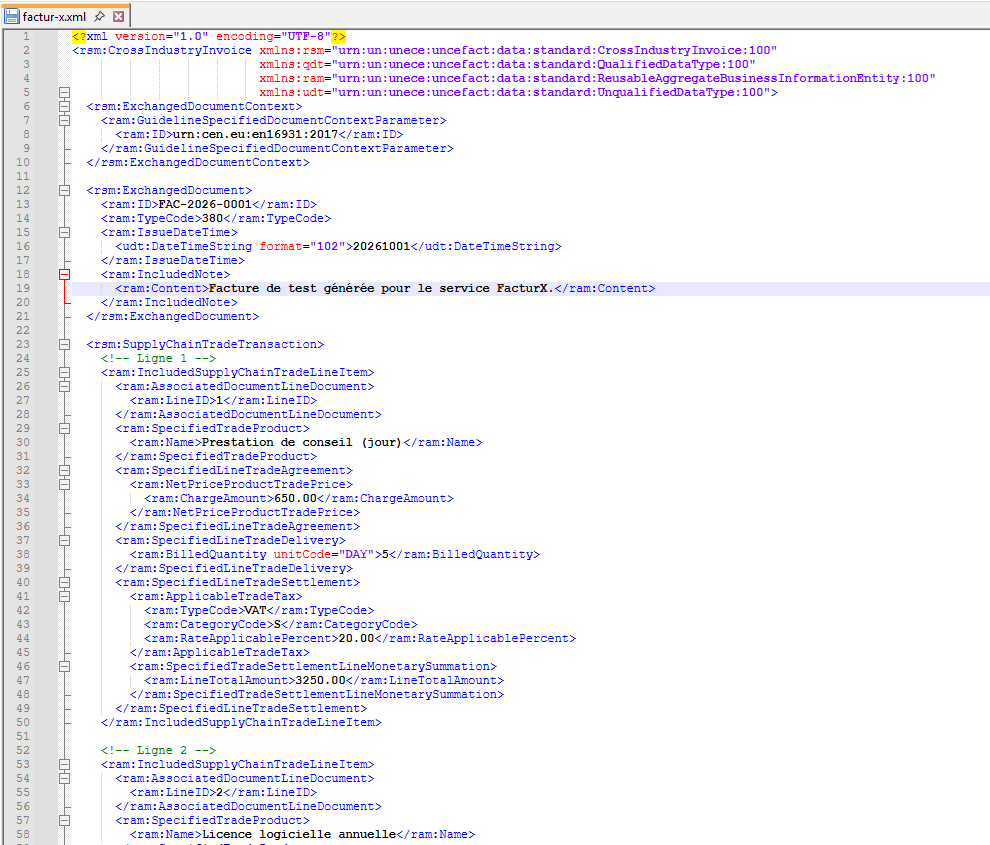
Payload must be in this format (check all options in the server.js) :
{"pdfPath":"C:\\facturx-service\\test\\facture.pdf",
"xmlPath":"C:\\facturx-service\\test\\factur-x.xml"}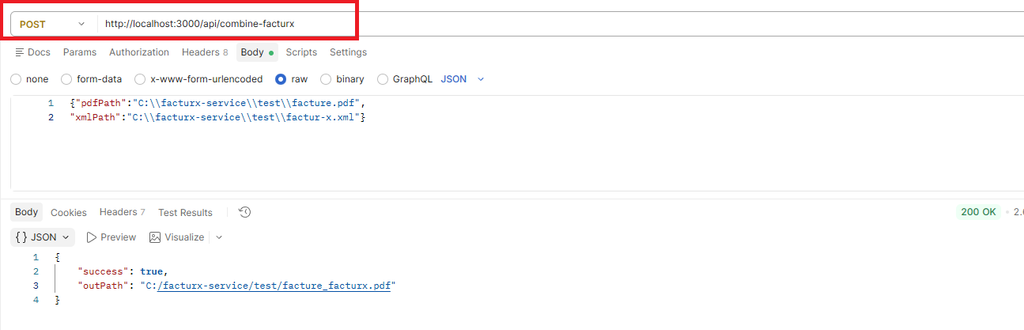
You can use outPath in the json body request, to specify the output file and directory.
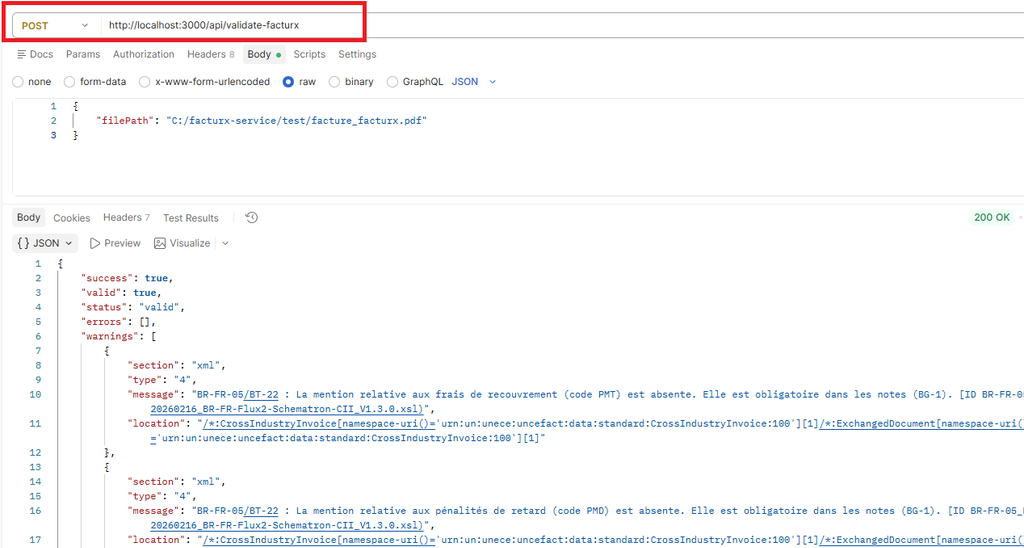
To validate a Factur-X (http://localhost:3000/api/validate-facturx)
Payload must be in this format :
{
    "filePath": "C:/facturx-service/test/facture_facturx.pdf"
}
5/ Consume the Endpoints using Magic xpi
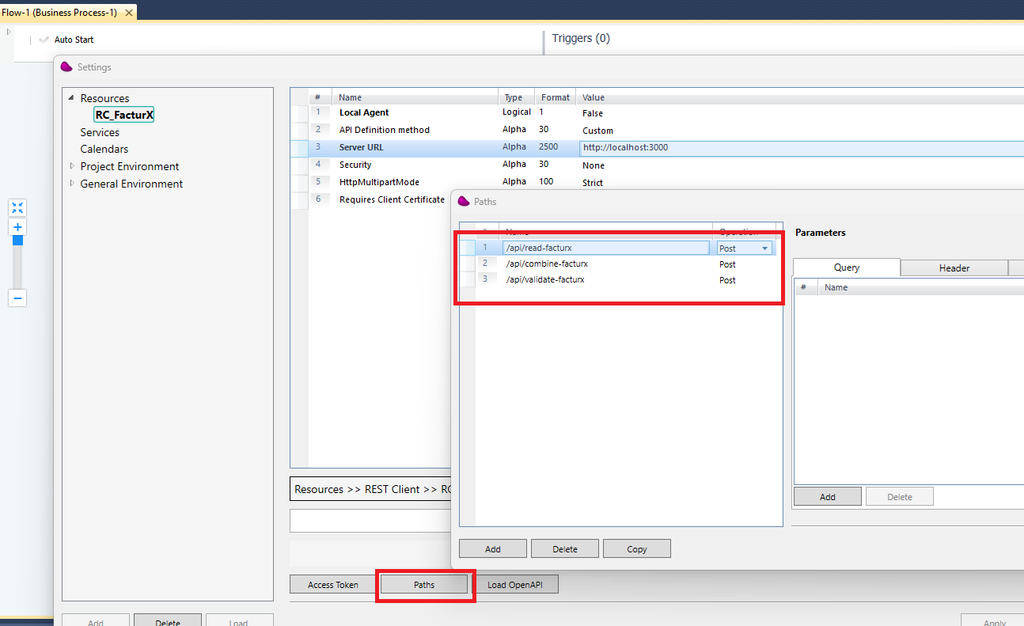
Define the REST Client resource with the 3 endpoints
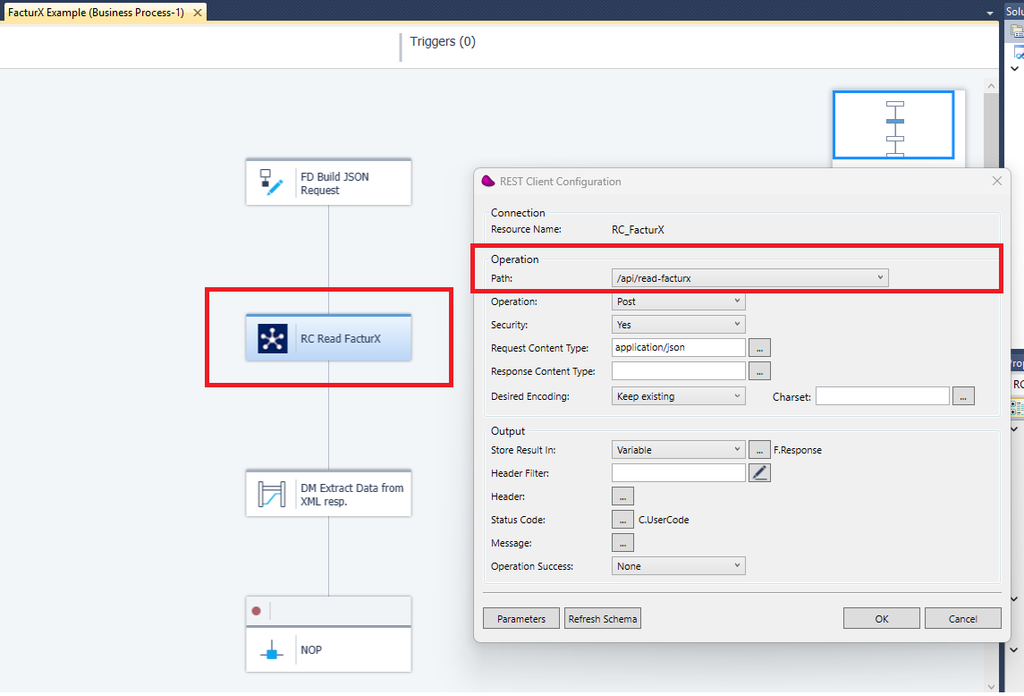
Simple Magic xpi Flow to read a FacturX,
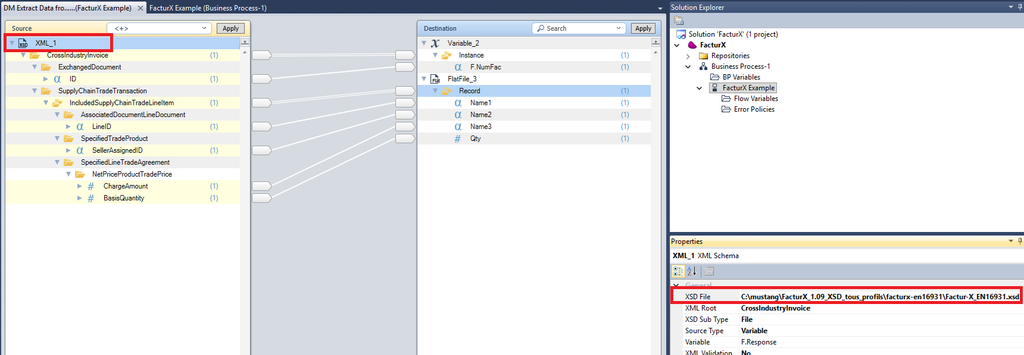
To parse the result, use the schema provided in C:\mustang\FacturX_1.09_XSD_tous_profils
6/ Improvements
(*)The nodejs server can be improved by adding other endpoints (convert CII to UBL, Visualize XML in PDF, …)
(**) the nodejs server can be secured with any security mechanism (Header Secret key, OAuth2 token,…)