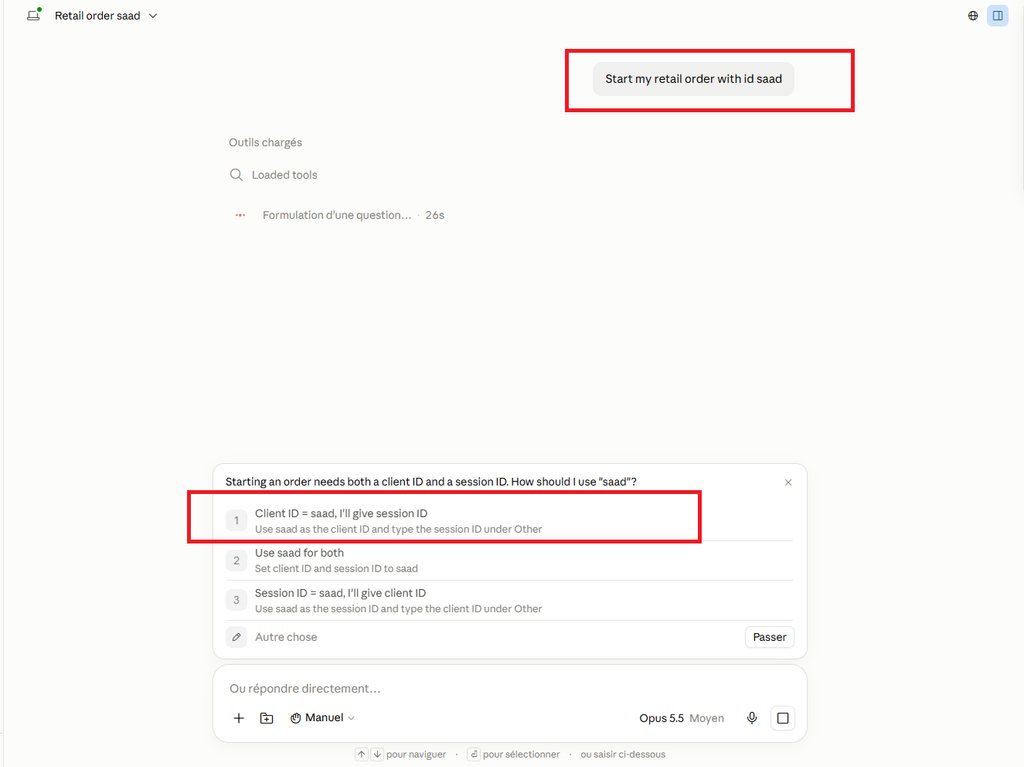
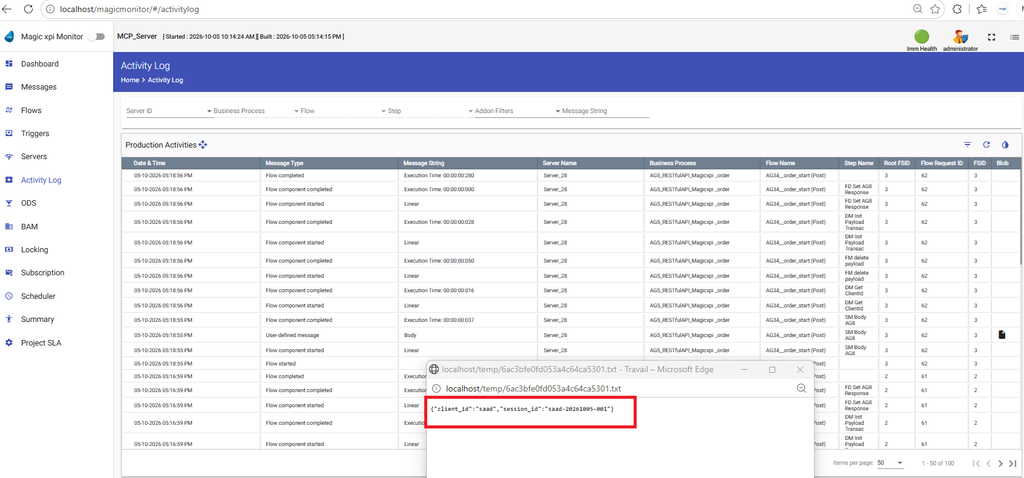
Goal : Expose Magic xpi RESTFul API service through an MCP Proxy Server
Prerequisites :
- fastmcp, httpx, pyyaml
- Magic xpi RESTFul API Service OpenAPI yaml file with a Magic xpi project up and running
- Apache tomcat running with port 6443
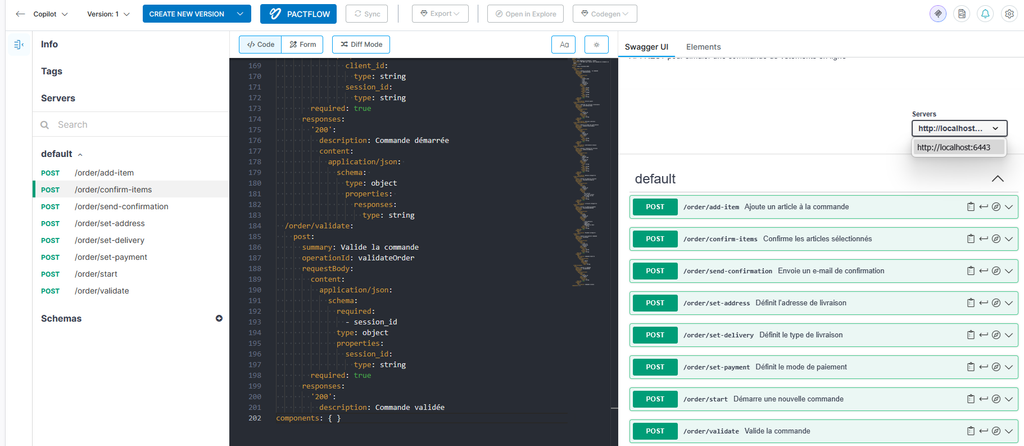
1/ Generate your yaml file that corresponds to your Magic xpi endpoints
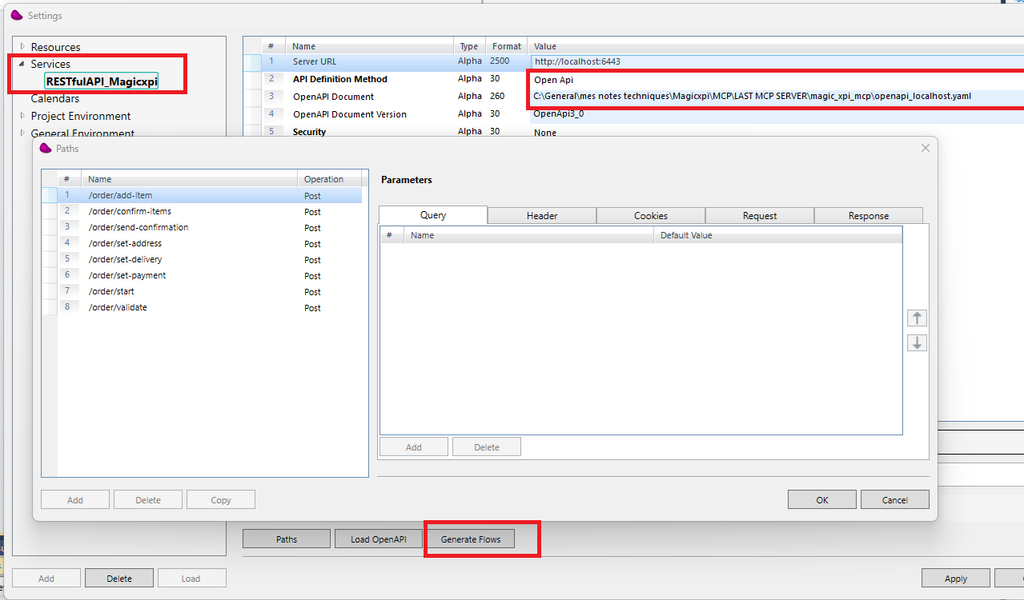
2/ Load and generate the Magic xpi Flows inside Magic xpi studio
3/ Customize with a simple logic the order/start flow (for testing)
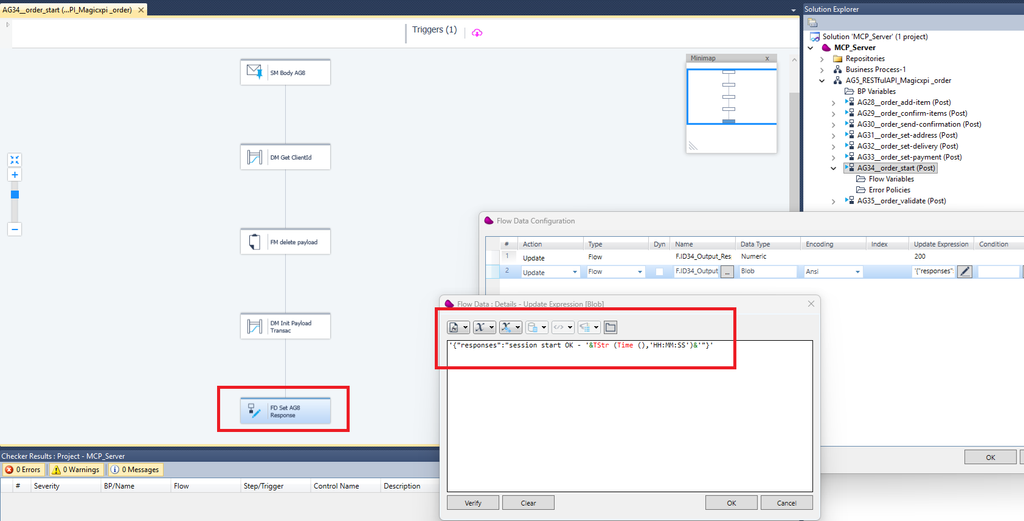
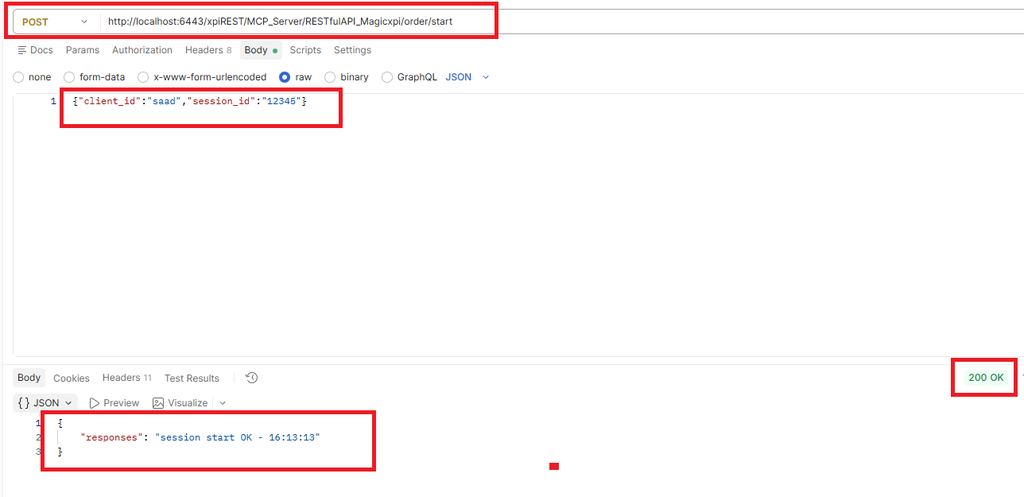
4/ Endpoints Check with Postman
Start the Magic xpi project and the Apache server with the correct service contract
5/ Create folder : C:\MCP\magic_xpi_mcp
copy files (openapi_localhost.yaml, README.md, requirements.txt, server.py)
6/ Python verification (over 3.10) :
python --version7/ Install dependencies and checks
pip install -r requirements.txt
//***** verification
python -c "import fastmcp, httpx, yaml; print('OK - fastmcp', fastmcp.__version__)"
Check that the server loads correclty the yaml file : python server.py
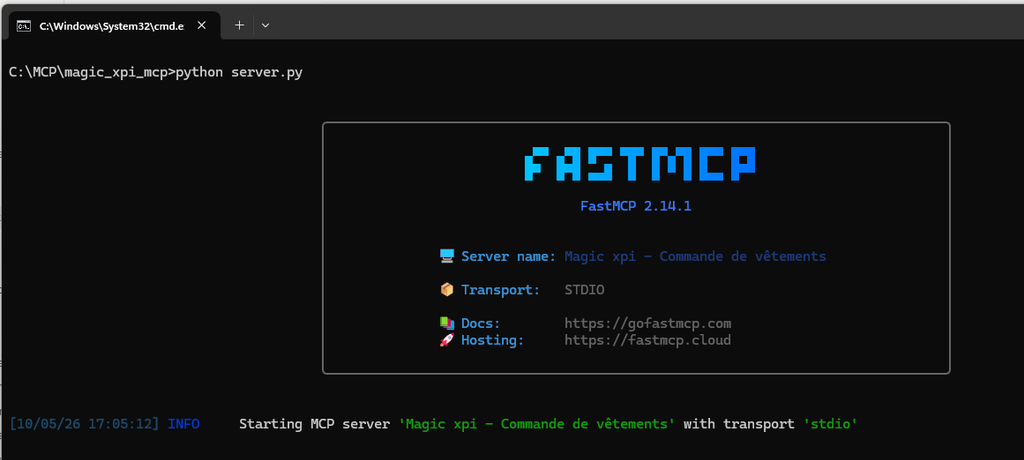
Press CTRL ^C
8/ Declare you mcp server inside Claude
Add this json portion inside your claude_desktop_config.json
"mcpServers": {
    "magic-xpi": {
      "command": "python",
      "args": [
        "C:\\MCP\\magic_xpi_mcp\\server.py"
      ],
      "env": {
        "XPI_BASE_URL": "http://localhost:6443/xpiREST/MCP_Server/RESTfulAPI_Magicxpi"
      }
    }
  },
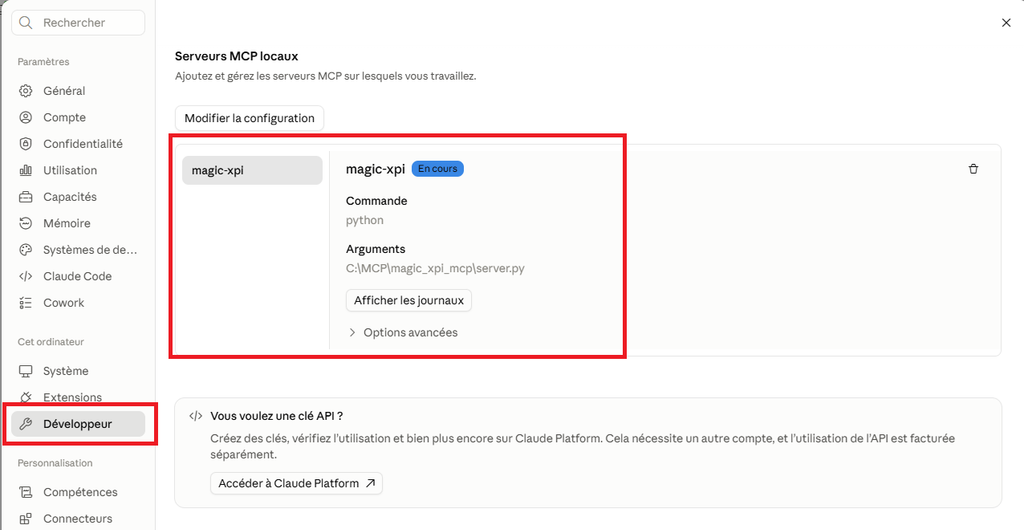
File => Settings => Developer (modify configuration)
Restart completely your Claude Desktop, you should see your magic xpi mcp server
9/ test with Claude code or Claude chat