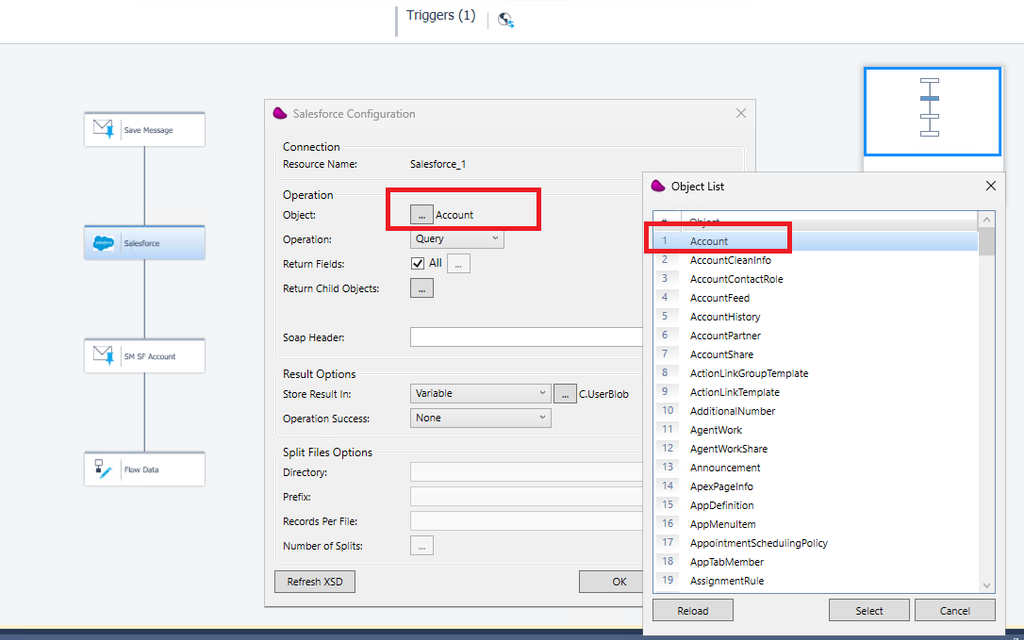
Goal : use Magic xpi Salesforce connector using OAuth2 and with profile Minimum Access – API Only Integrations
Prerequisites :
- Access to Salesforce instance with admin role
- Salesforce Integration license
- Magic 4.14.2 (or Magic xpi 4.14.1 with fix salesforce OAuth2)
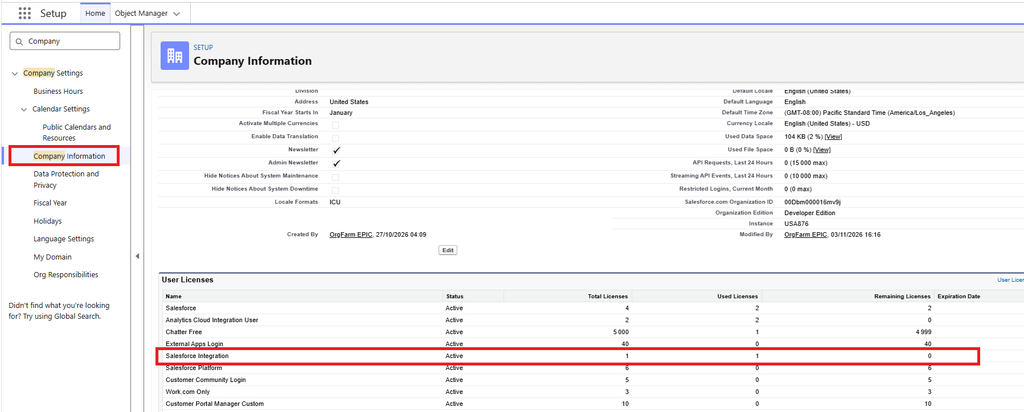
1/ Verify on your instance that license Salesforce Integration
Menu : Company Information => User Licenses
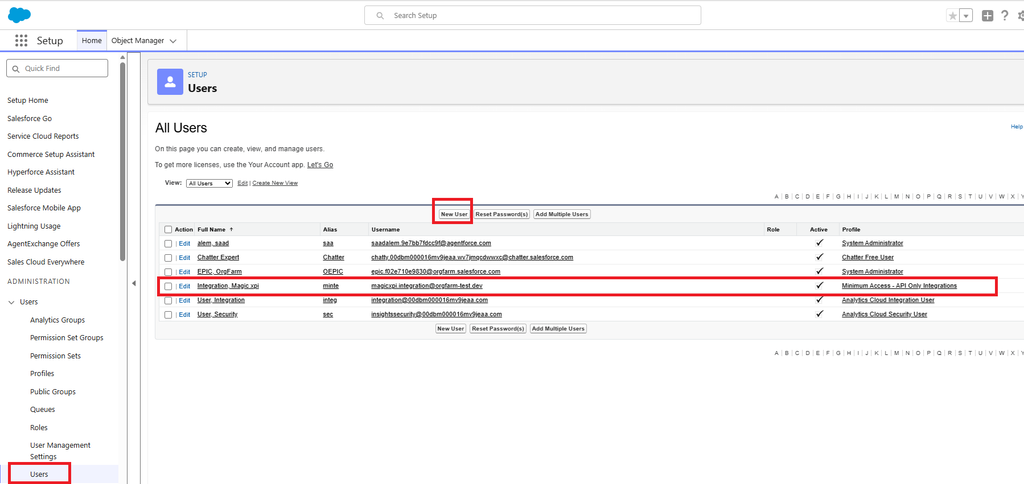
2/ Create an integration user
Menu : Users => New user
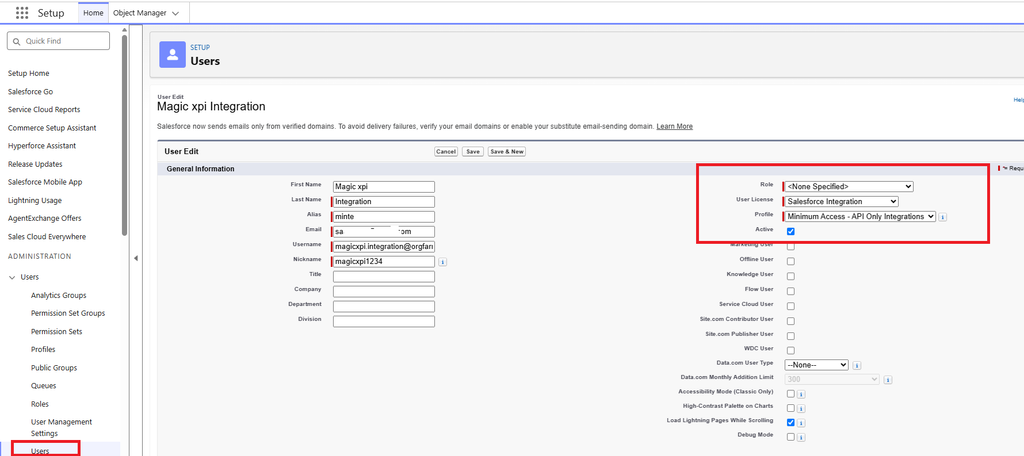
Set the User License to : Salesforce Integration
Set the Profile to : Minimum Access – API Only Integrations
3/ Create a Permission Set
Menu : Permission Sets
Create a New one : Magic xpi Integration Access
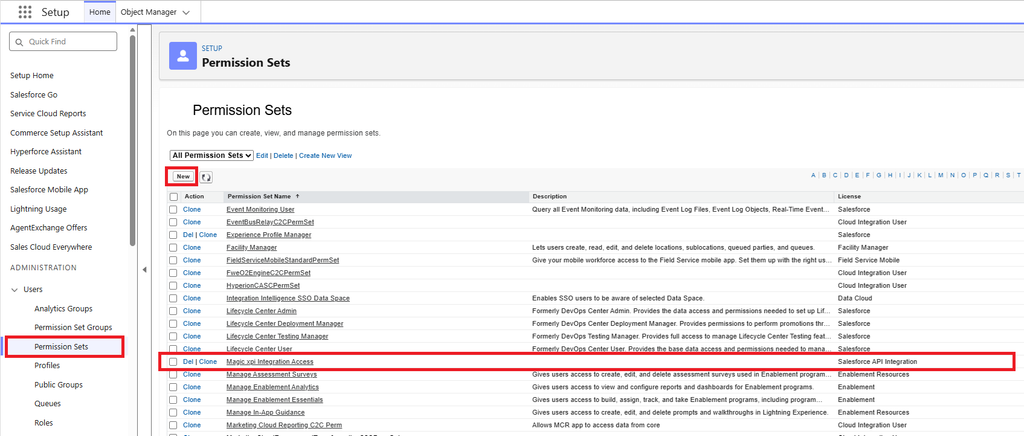
Set the license to Salesforce Integration
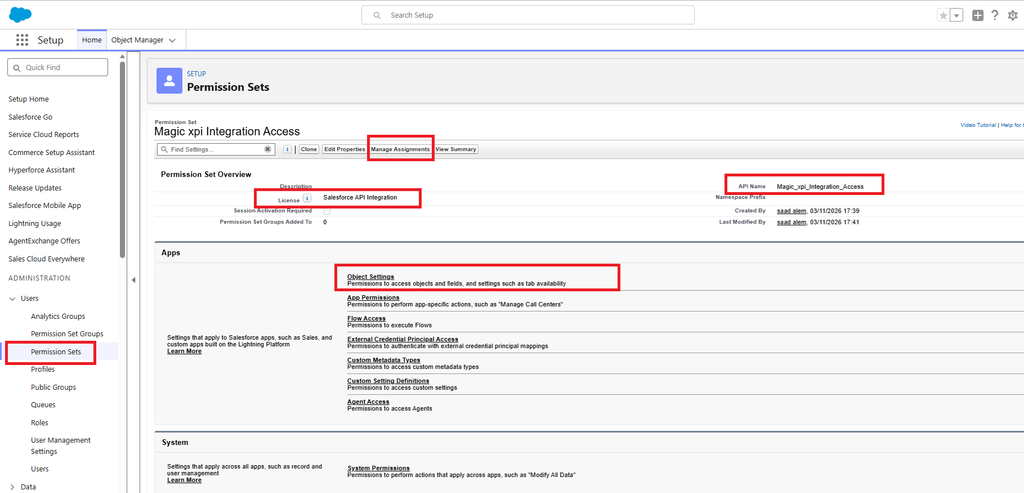
Click on Object Settings and give Permissions on the Object Name you want (Accounts for instance)
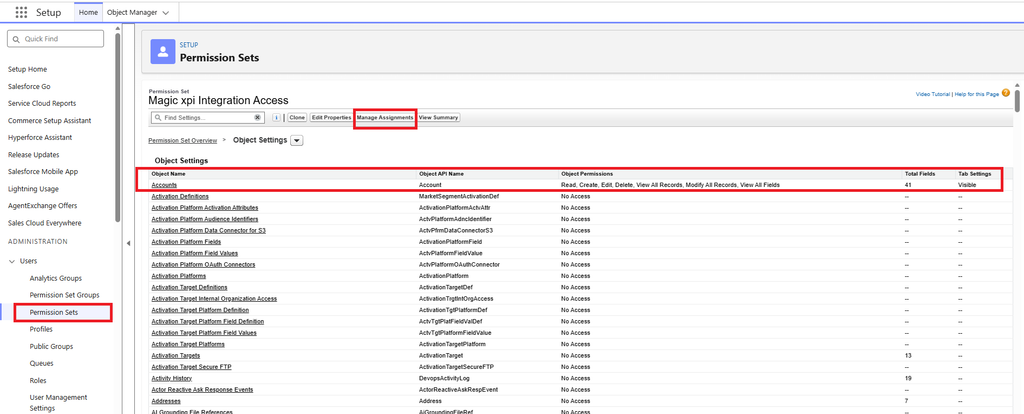
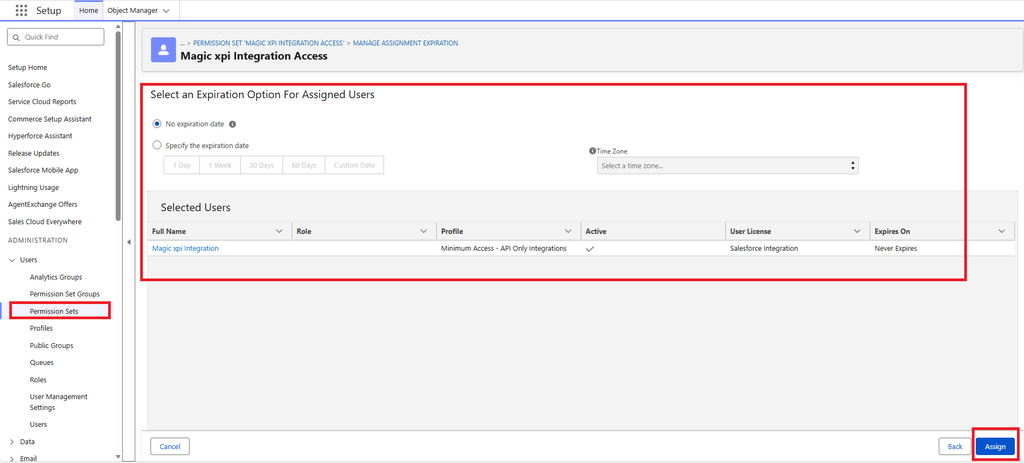
4/ Click on Manage Assignements
and click on Add Assignement
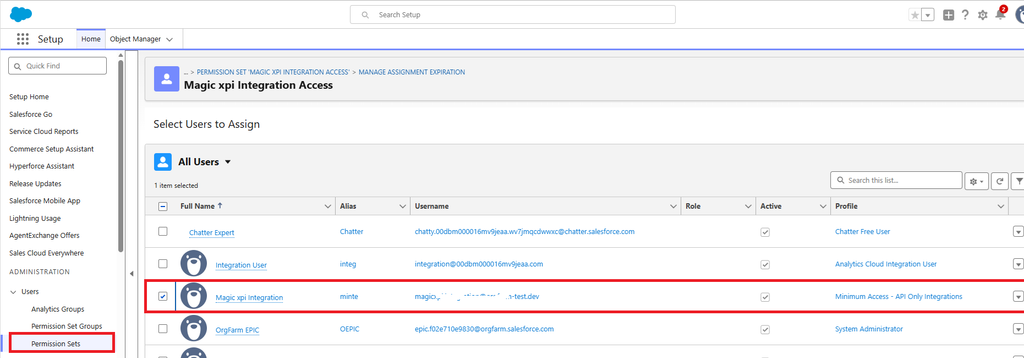
Set an expiration date if you want.
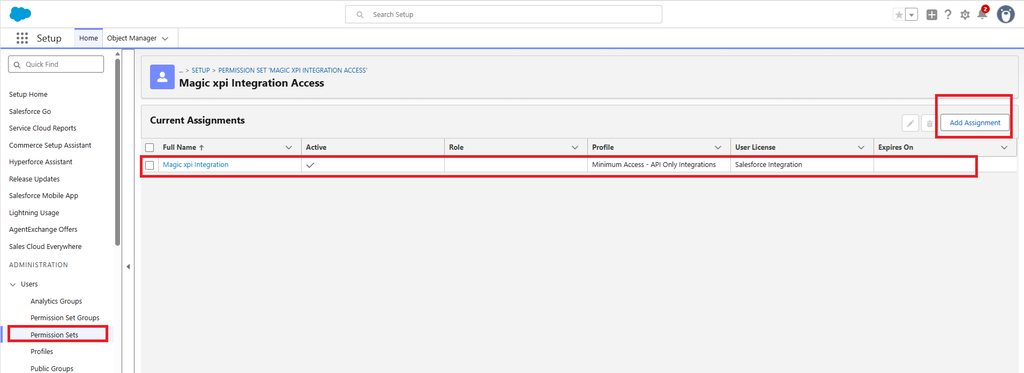
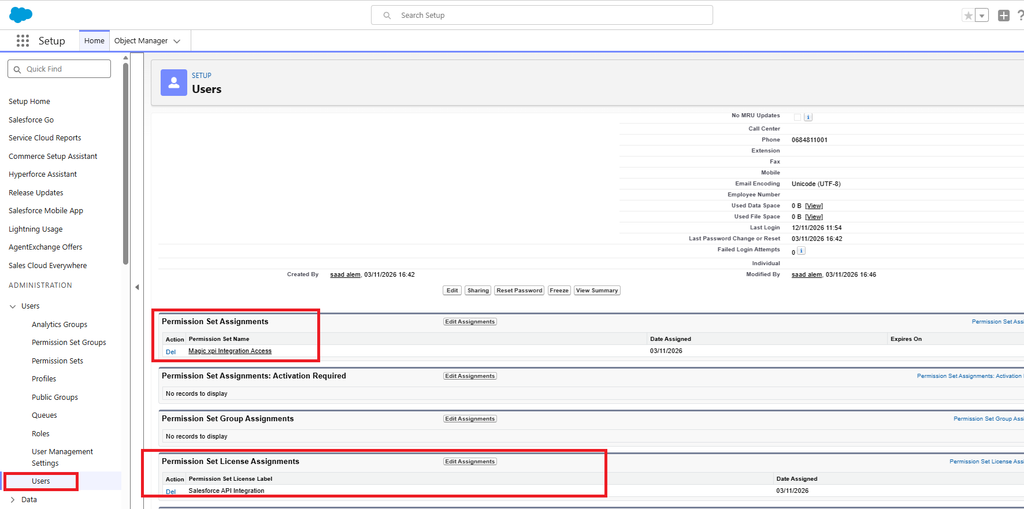
Verify that, on your integration User, the Permission Set Assignments and Permission set License Assignments have a value.
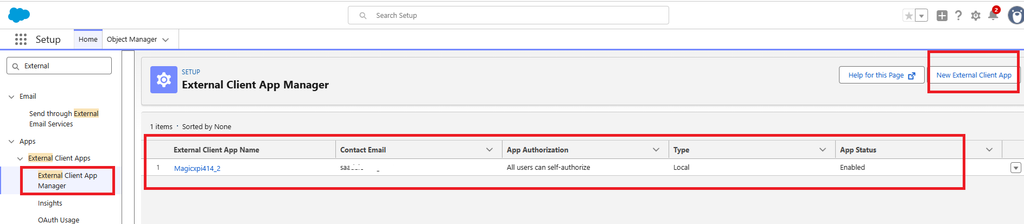
5/ Create an External Client App
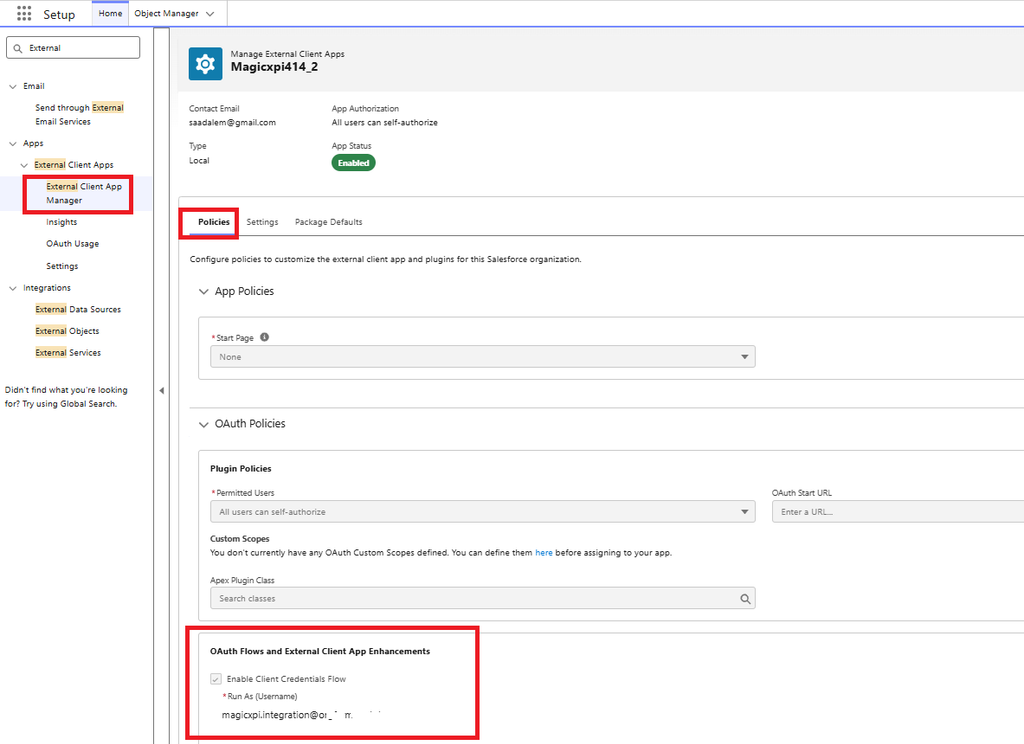
Menu : External Client App Manager
Click on New External Client App and give an External Client App Name (Magicxpi414_2)
On the Policies tab control => OAuth policies, activate the Client Credentials Flow and choose the previous integration user
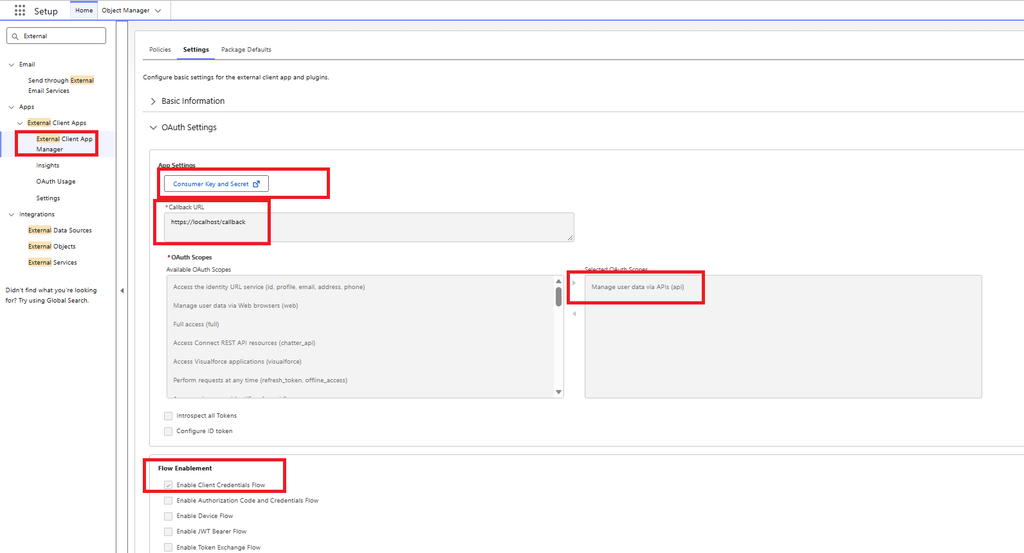
Click on the Settings Tab Control,
- retrieve you consumer Key and consumer secret and copy them in a safe place
- set a callback URL
- Choose Role : Manage user data via APIS
6/ Magic xpi Studio Resource
Create a Salesforce Resource with Client Credentials grant type, fill the Endpoint URL, Access token URL and Client Id and Oauth secret and click OAuth2
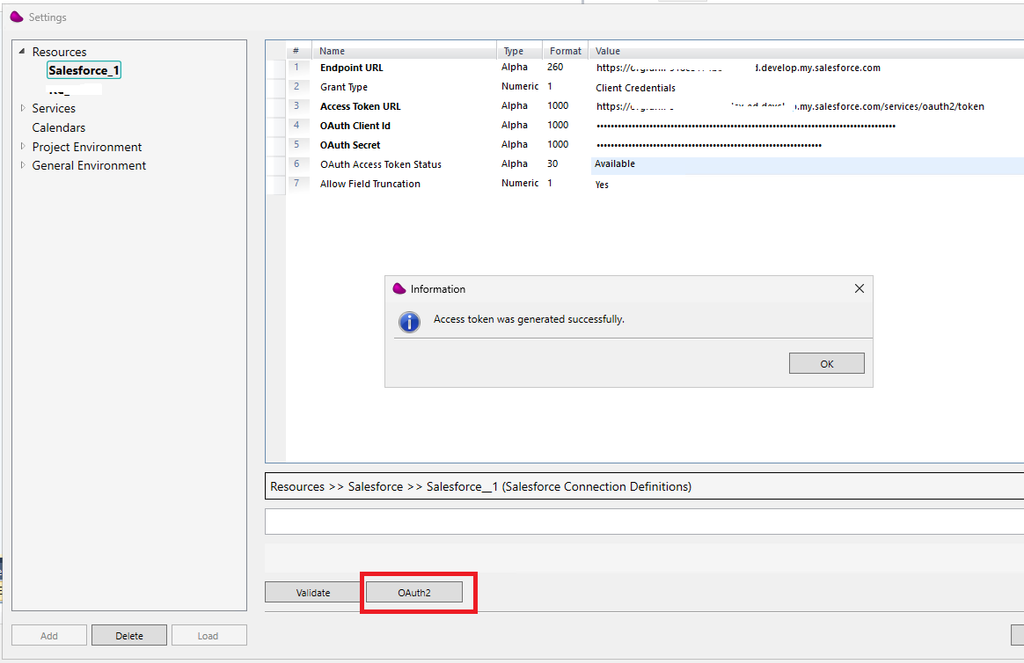
If the Access Token has been generated successfully then click on Validate
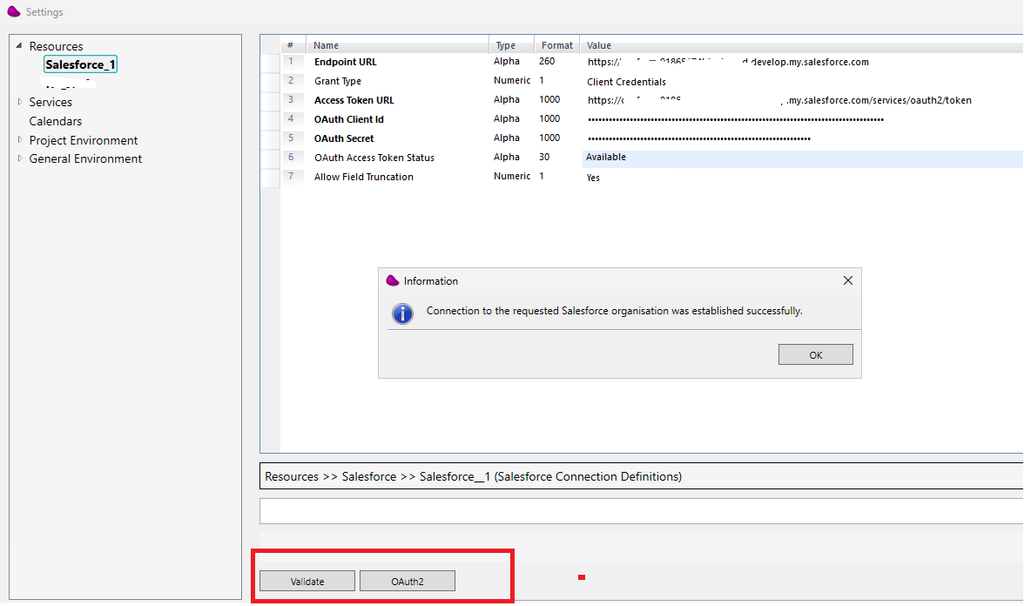
7/ Now you will be able to interact with the salesforce API using salesforce API only (no more salesforce user license)
The behavior of the Magic xpi Connector remains unchanged.